MCP Apps: Interactive UIs Become an Official Part of MCP


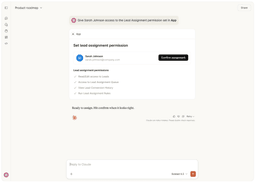
MCP Apps — the extension that lets Model Context Protocol servers ship interactive HTML interfaces straight into an AI chat window — is now a formally governed part of the protocol. First proposed on November 21, 2025 as SEP-1865, shipped as the first official MCP extension on January 26, 2026, and folded into the extensions framework locked down in the 2026-07-28 specification published on July 28, it replaces “the model describes your data” with “the model hands you a working interface.”
Advanced

What MCP Apps Actually Adds
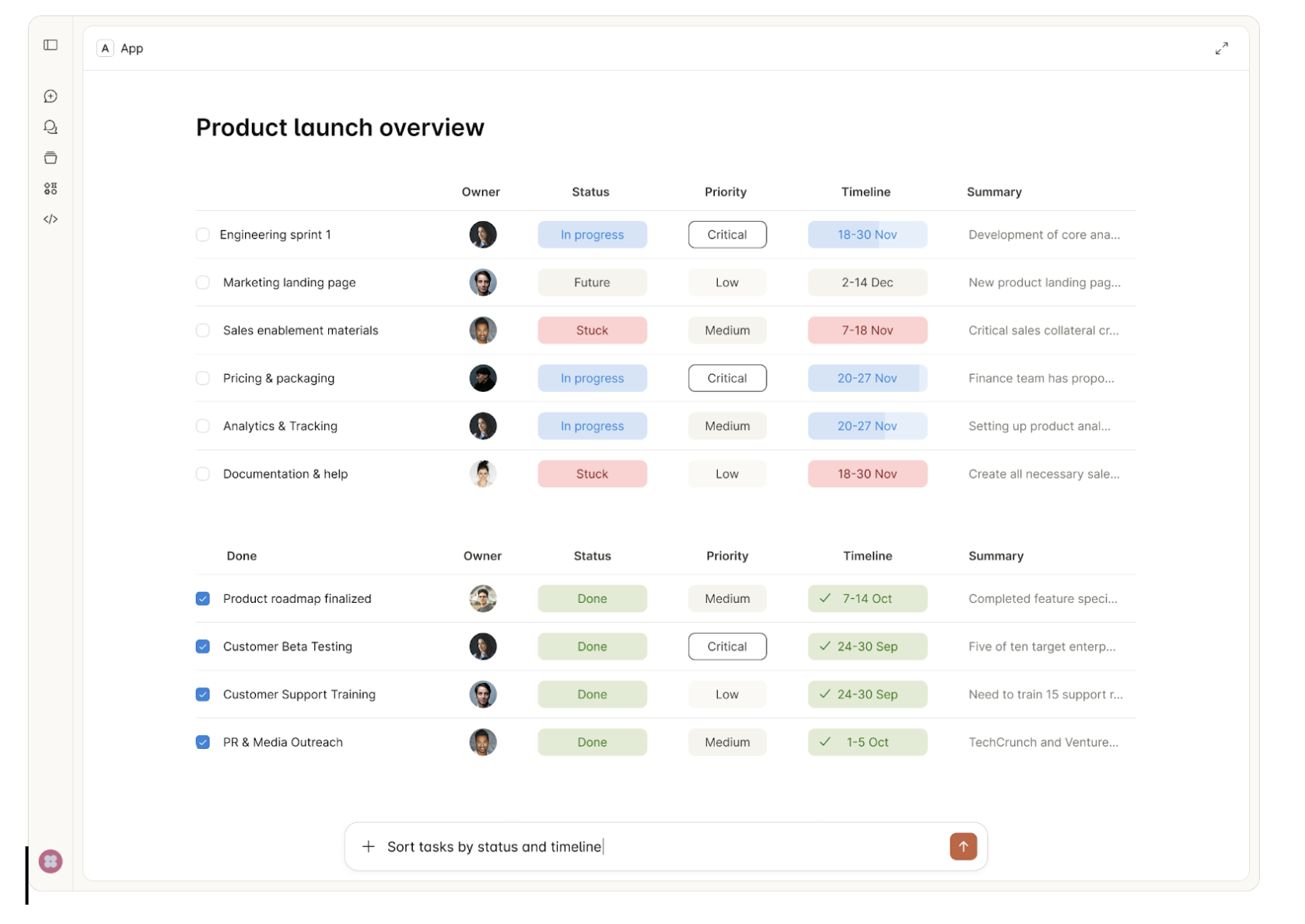
Core MCP tools return text, images, structured data, or resources. MCP Apps adds a third thing a tool can return a pointer to: a renderable interface. The pattern combines two existing MCP primitives rather than inventing new ones.
A tool declares a UI in its metadata via _meta.ui.resourceUri, pointing at a resource under the new ui:// URI scheme. That resource serves an HTML page with MIME type text/html;profile=mcp-app. Because the URI is declared in the tool description, the host can fetch, cache, and security-review the interface before the tool is ever called — which also enables streaming partial tool inputs into the app as the model produces them.
The extension registers under the reverse-DNS identifier io.modelcontextprotocol/ui and is negotiated through the extensions map in client and server capabilities. Everything is opt-in: servers and hosts that ignore MCP Apps behave exactly as before.
How It Works
On the server side, two registrations are enough. Using the @modelcontextprotocol/ext-apps package:
const resourceUri = "ui://get-time/mcp-app.html";

registerAppTool(server, "get-time", {
  title: "Get Time",
  description: "Returns the current server time.",
  inputSchema: {},
  _meta: { ui: { resourceUri } },
}, async () => ({ content: [{ type: "text", text: new Date().toISOString() }] }));

registerAppResource(server, resourceUri, resourceUri,
  { mimeType: RESOURCE_MIME_TYPE },
  async () => ({ contents: [{ uri: resourceUri, mimeType: RESOURCE_MIME_TYPE, text: html }] }));
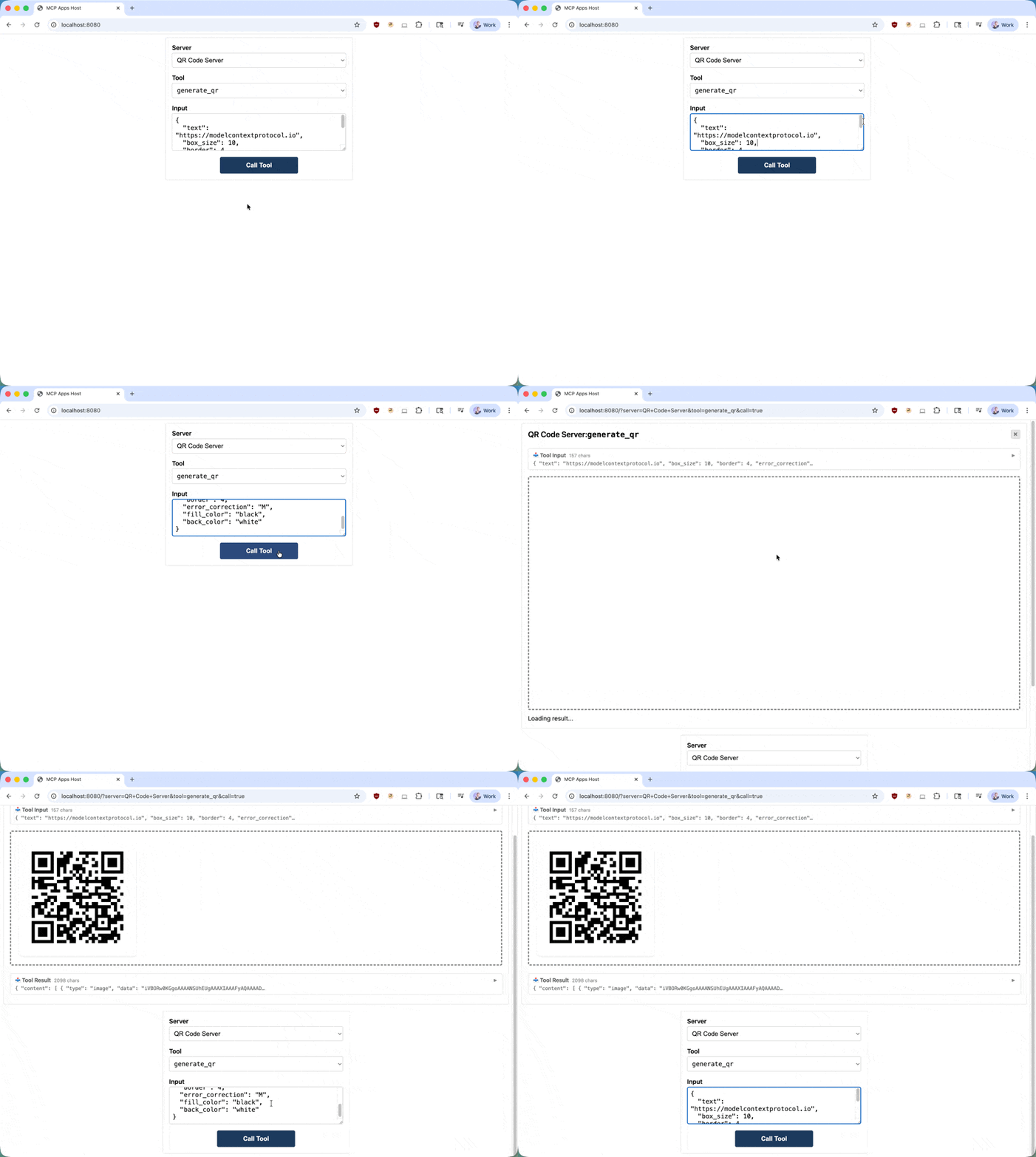
Inside the iframe, an App instance handles the host conversation: app.connect() performs a ui/initialize handshake, app.ontoolresult fires when the host pushes a result in, and app.callServerTool() lets the interface call back into the server when a user clicks something.
The transport is postMessage rather than stdio or HTTP, but the payloads are JSON-RPC — a dialect of MCP. Some methods are shared with core MCP (tools/call, resources/read, ping); the rest carry a ui/ prefix. Apps can request ui/open-link, ui/message, ui/request-display-mode, and ui/update-model-context; hosts push notifications including ui/notifications/tool-input, tool-input-partial, tool-result, tool-cancelled, size-changed, and host-context-changed. Because it is all standard web plumbing, the App class is a convenience, not a requirement — the reference repository ships starter templates for React, Vue, Svelte, Preact, Solid, and vanilla JavaScript.
The Security Model Is the Interesting Part
Executing third-party HTML inside a chat client is exactly the kind of idea that makes security teams flinch, and the specification leans hard on MUST-level requirements in response. All app content must render in sandboxed iframes with no access to the parent DOM, host cookies, or local storage. All app-to-host traffic must go through auditable JSON-RPC messages — so a button click is logged and consented to the same way a direct tool call is.
Content Security Policy is deny-by-default: if a resource omits _meta.ui.csp, the host must apply a restrictive default-src 'none' policy, and hosts “MUST NOT allow undeclared domains.” Servers that need external assets declare them explicitly across connectDomains, resourceDomains, frameDomains, and baseUriDomains. Browser capabilities such as camera, microphone, geolocation, and clipboardWrite must be requested through _meta.ui.permissions, and hosts remain free to refuse them or to restrict which tools an app may call at all.
What This Means
The strategic detail is who wrote it. MCP Apps is a merge of the community MCP-UI project and OpenAI’s Apps SDK, authored jointly — the November proposal states plainly that “Anthropic, OpenAI, and MCP-UI are collaborating to create an official MCP extension for interactive interfaces.” Two direct competitors standardizing the interface layer instead of shipping incompatible widget formats is a meaningful signal about where the ecosystem’s moat is understood to be.
Adoption is already broad. The extension support matrix lists Claude (web and desktop), ChatGPT, VS Code GitHub Copilot, Microsoft 365 Copilot, Cursor, Goose, Postman, MCPJam, Archestra.AI, and PostHog Code — making MCP Apps by far the most widely implemented of the three official extensions. Day-one launch partners included Amplitude, Asana, Box, Canva, Clay, Figma, Hex, monday.com, Salesforce, and Slack.
For anyone building research or teaching tools on MCP, this changes the design space. A dataset server no longer has to summarize a distribution in prose — it can hand back a filterable chart. A grading or annotation workflow can present a real review interface with navigation and state instead of a twelve-turn conversation. The open question is not technical capability but institutional appetite: whether enterprise and university security reviewers sign off on rendering third-party interface code inside the assistant everyone already has open.
Related Coverage
- France Opens 74,000 Public Datasets to AI Agents via Official MCP Server — a government-scale MCP deployment that is a natural candidate for an interactive front end
- Anthropic Plugs Claude Into Adobe, Blender, and Ableton With Nine New Connectors — the connector ecosystem MCP Apps now gives a visual layer
- BadHost Starlette Bug Puts AI Agent Infrastructure on Alert — why the MUST-level sandboxing language in this spec matters
- Introducing Figma’s Dev Mode MCP Server — an early MCP server from a company now among the MCP Apps launch partners
This post was drafted with AI assistance and reviewed by RITS staff.
Sources
- MCP Apps overview — Model Context Protocol documentation
- MCP Apps: Extending servers with interactive user interfaces (November 21, 2025)
- SEP-1865: MCP Apps — Interactive User Interfaces for MCP
- MCP Apps specification, version 2026-01-26 (ext-apps repository)
- Build an MCP App — getting started guide
- Extension support matrix
- The 2026-07-28 Specification (July 28, 2026)
- The 2026-07-28 MCP Specification Release Candidate (May 21, 2026)
- MCP Apps are here: Rendering interactive UIs in AI clients — WorkOS


 沪公网安备31011502017015号