Unsloth Studio: Open-Source No-Code UI for Local LLM Training and Inference


On March 17, 2026, Unsloth AI launched Unsloth Studio — an open-source, no-code web interface that lets users train, run, and export large language models from a single local dashboard. The beta release positions Unsloth Studio as the first tool to unify fine-tuning, inference, and deployment in one local application, promising 2x faster training with 70% less VRAM on consumer NVIDIA GPUs.
Intermediate

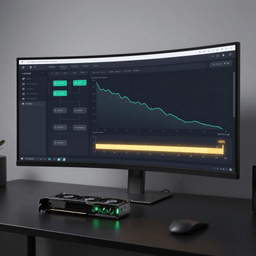
What Unsloth Studio Does
Until now, training a model locally meant juggling Jupyter notebooks, command-line tools, and separate inference servers. Unsloth Studio collapses that workflow into a browser-based UI with four core modules:
- Training: Fine-tune 500+ transformer-compatible models — including text LLMs, vision models, text-to-speech, audio, embedding, and BERT-style architectures — with Unsloth’s custom CUDA kernels that halve training time and cut VRAM usage by 70% with no accuracy loss.
- Data Recipes: A visual, node-based workflow for transforming raw PDFs, CSV, DOCX, TXT, and JSON files into structured fine-tuning datasets. The system can generate synthetic data and auto-format output to ChatML or Alpaca templates — no dataset preparation required to get started.
- Inference: Run GGUF and safetensor models locally with auto-tuned inference parameters, self-healing tool calling, web search, and sandboxed code execution during chat. A built-in Model Arena lets users compare two models side-by-side.
- Export: Save trained models as GGUF or 16-bit safetensors, compatible with llama.cpp, vLLM, Ollama, and LM Studio. Training history is preserved for revisiting experiments.
GRPO and Reinforcement Learning Support
Unsloth Studio includes built-in support for GRPO (Group Relative Policy Optimization), the reinforcement learning technique that powered DeepSeek-R1’s reasoning capabilities. GRPO calculates rewards relative to a group of model outputs rather than requiring a separate critic model, making RL-based training accessible on consumer hardware. This means researchers and developers can train reasoning-capable models locally without needing cloud-scale infrastructure.
Hardware Requirements and Platform Support
The Studio runs on Windows, Linux, WSL, and macOS. Hardware requirements scale with the task:
- CPU-only (any platform): Chat inference with GGUF models
- NVIDIA GPU (RTX 30/40/50 series, Blackwell, DGX): Full training and inference
- Apple Silicon Mac: Chat inference now; MLX-based training coming soon
- Multi-GPU: Supported, with further optimizations planned
Installation is straightforward: pip install unsloth followed by unsloth studio setup, with the first run compiling llama.cpp binaries in 5–10 minutes.
How It Compares to LM Studio
The community has compared Unsloth Studio to LM Studio, but the two tools occupy different niches. LM Studio excels at running pre-trained models locally with a polished chat interface and Vulkan GPU offloading. Unsloth Studio covers that ground — and extends it to the entire fine-tuning lifecycle: data preparation, training with real-time loss monitoring, GRPO reinforcement learning, and model export. For users who want to customize models rather than just run them, Unsloth Studio fills a gap that previously required multiple tools.
Unsloth Studio is licensed under Apache 2.0 (core package) and AGPL-3.0 (UI components), and is available on GitHub. The project has partnerships with NVIDIA and Hugging Face.
This post was drafted with AI assistance and reviewed by RITS staff.


 沪公网安备31011502017015号