DeepSeek Harness v0.2 Ships as a Desktop App for macOS and Windows


DeepSeek released DeepSeek Harness v0.2 on September 29, 2026, and with it the first official desktop installers for macOS (Apple silicon) and Windows. Seven weeks ago Harness debuted as a developer-preview agent runtime that you launched from a terminal with npx. It now installs like an ordinary desktop app: sign in, pick a local folder as a workspace, and hand the agent a task. The code is still MIT-licensed and still carries the developer-preview label, and the repository has passed 240,000 GitHub stars since it opened on August 13.
Intermediate
What Shipped
The v0.2 release candidates (dsh-v0.2.0-rc.1 on September 28 and rc.2 on September 29) gather about a month of changes since the August launch. The product page offers three ways to run it: a macOS .dmg, a Windows .exe, and the original browser UI via npx @deepseek-ai/dsh web for anyone with Node.js. The desktop build bundles its own Node runtime. Since rc.2, it can also install the dsh command-line tool from a menu-bar item, so plugin management no longer needs a separate Node or pnpm install.
According to DeepSeek’s product page, the default model is DeepSeek-V4.1-Flash. Two routes lead to it. You can sign in with a DeepSeek account, and the new onboarding flow shows your available credit. Or you can paste in a DeepSeek API key. The release notes add that sessions using account models can search the web without a separate search API key. The runtime is not locked to DeepSeek: the model guide lists built-in third-party providers (including anthropic, openai, moonshotai for Kimi, and zai for GLM) and supports custom endpoints that use the OpenAI Chat Completions, OpenAI Responses, or Anthropic Messages protocol. OAuth sign-in providers such as Codex are not supported yet.
Other additions in the v0.1.7–v0.2 releases:
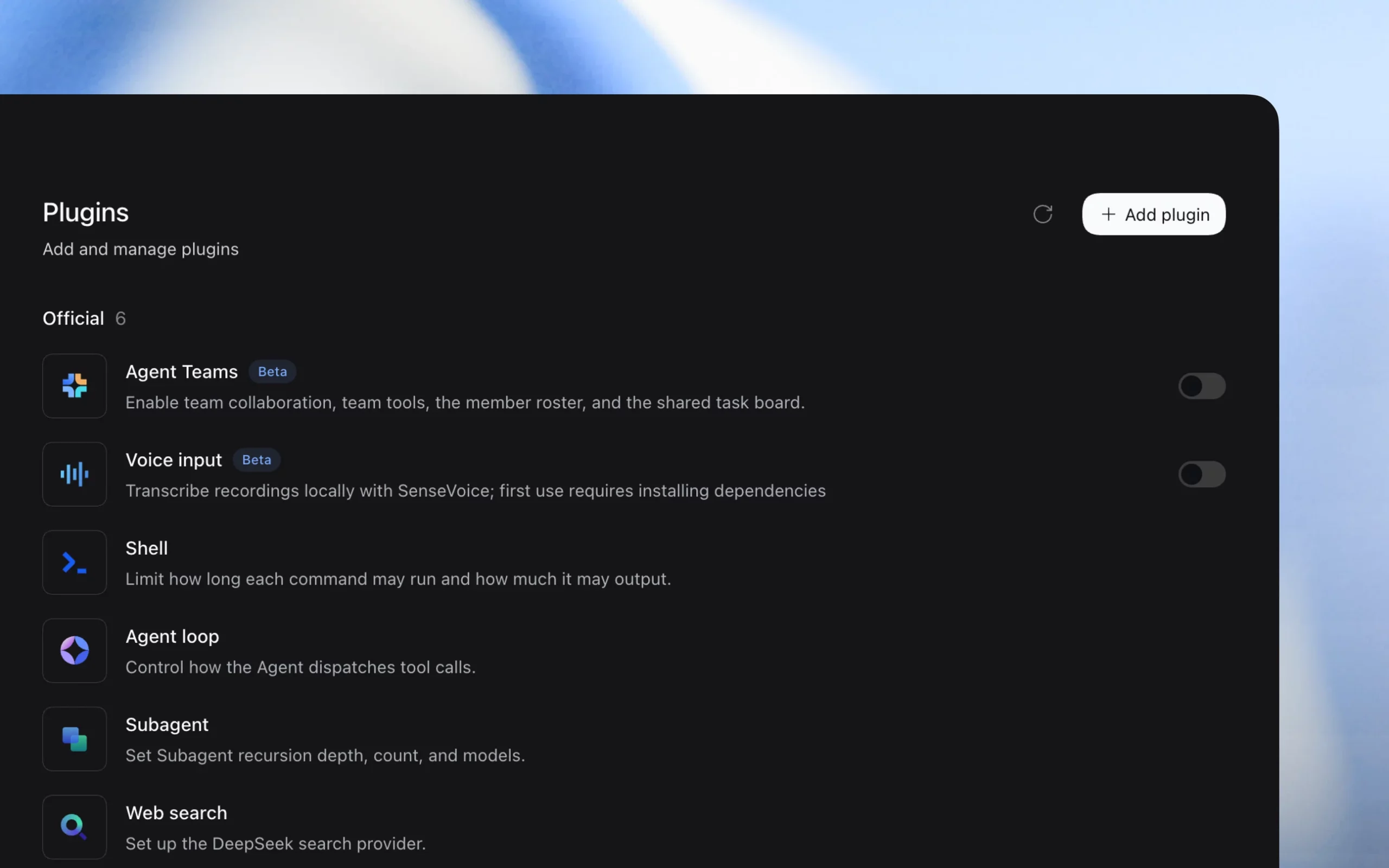
- Plugin manager. Install a plugin by package name, then disable, uninstall, or inspect it. The official set includes Agent Teams and Voice input (both beta; voice transcribes locally with SenseVoice), plus Shell, Agent loop, Subagent and Web search. An experimental Creator mode lets users describe a plugin and have the agent write or modify it.
- Scheduled tasks. Recurring jobs keep their run history, survive app restarts, and can repeat as often as once a minute. The feature is off by default and ships as an optional plugin package.
- Background execution. Closing the desktop window doesn’t stop running tasks. The app warns before quitting would interrupt them.
- Office workflows. Built-in previews cover Word, Excel, PDF, HTML, Markdown and code files, with better display of code changes.
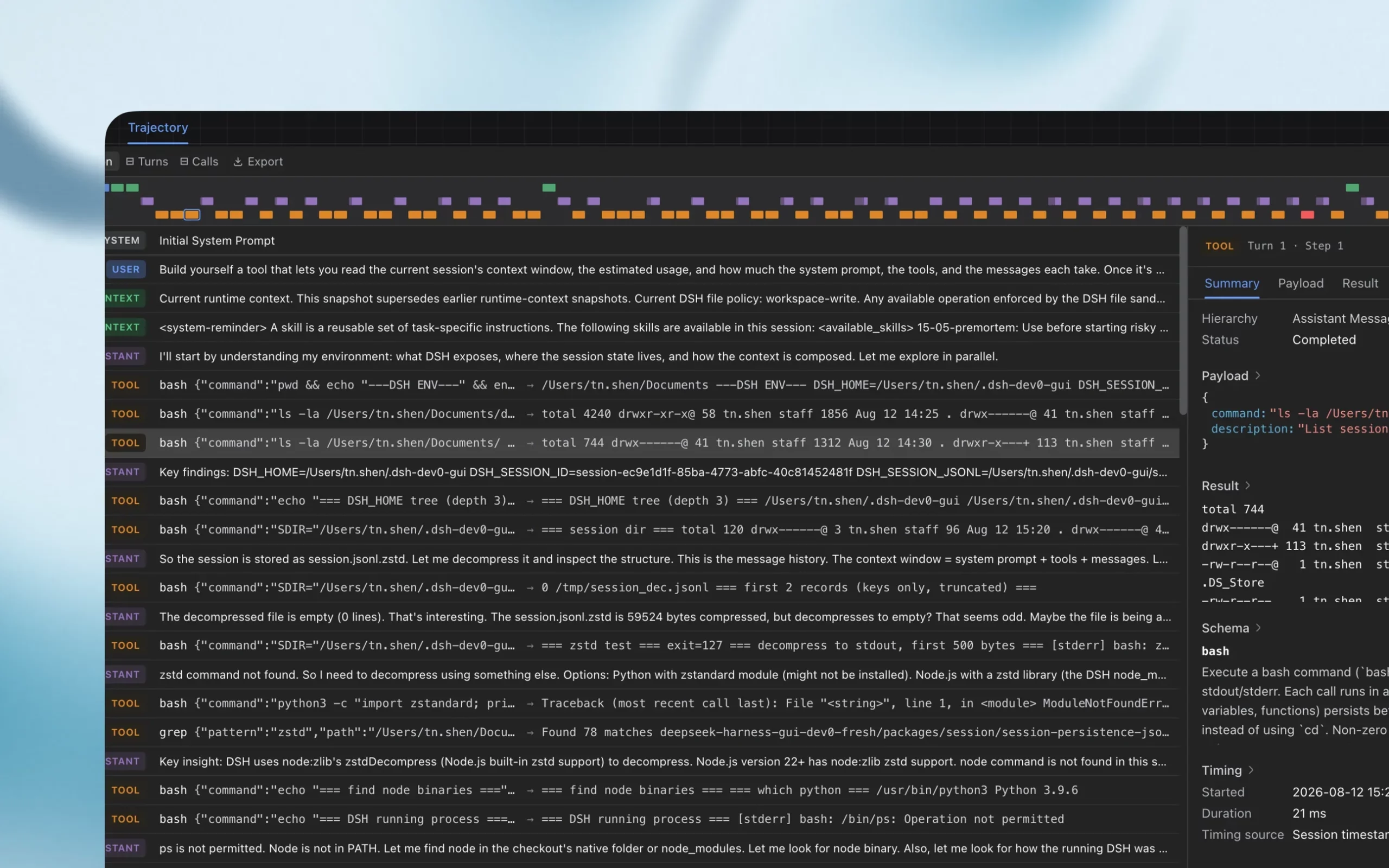
- Safer failure handling. If a tool call fails and its outcome is unknown, the agent is now told to check for side effects before retrying, rather than retrying blindly.
Still a Developer Preview
The project’s own safety notice is blunt. Harness “has not undergone a security audit and must not be treated as secure or production-ready,” and because it executes model-generated commands and loads third-party plugins, it may “modify or delete files, disclose data or credentials.” DeepSeek recommends running it with least privilege, preferably in a disposable VM or container, and keeping backups of any files it can reach. The README still warns in capitals that “there will be compatibility-breaking changes.” The v0.2 notes include one example: an update to the third-party model catalog removed some old model IDs, so saved model choices may need to be reselected.
Chinese outlet ChainCatcher reports that DeepSeek’s next priorities are sandbox security, agent teams, long-term memory, browser automation and multi-user collaboration.
What This Means
Our August coverage treated Harness as an architecture story: an agent loop where everything, including the loop itself, is a Cordis plugin. v0.2 is a distribution story. By shipping signed installers, an account login and a plugin page, DeepSeek is aiming Harness at the same audience as desktop agent apps like Claude Desktop and Codex, not just at developers who were happy to clone a repo. The plugin architecture carries over unchanged, so a user who starts with a point-and-click install can later change the agent loop, or swap in a model from another provider, without leaving the app.
For university users, the practical issues are data and access. The agent reads and writes whatever folder it is given, so the safety notice’s advice to use a dedicated workspace applies to lab machines as much as to production servers. Before the official release, community projects such as deepseek-harness-desktop had built their own desktop wrappers for Harness, and third-party packages remain in circulation. Anyone installing the official build should download it from deepseek.com or the GitHub repository.
Related Coverage
- DeepSeek Open-Sources Harness, an All-Plugin Agent Runtime: the v0.1 launch and the Cordis architecture underneath
- DeepSeek V4.1-Flash: 552B Params, 890 Bytes of KV Cache Per Token: the default model in Harness
- NVIDIA OpenShell Puts AI Agents in Kernel-Enforced Sandboxes: another approach to the sandboxing problem Harness’s safety notice flags
- JetBrains Ships Junie Local: A 27B Coding Agent That Runs Offline: a desktop coding agent that runs entirely on-device
This post was drafted with AI assistance and reviewed by RITS staff.


 沪公网安备31011502017015号